Claude Code Beyond Prompting: Architecting an AI Development Environment
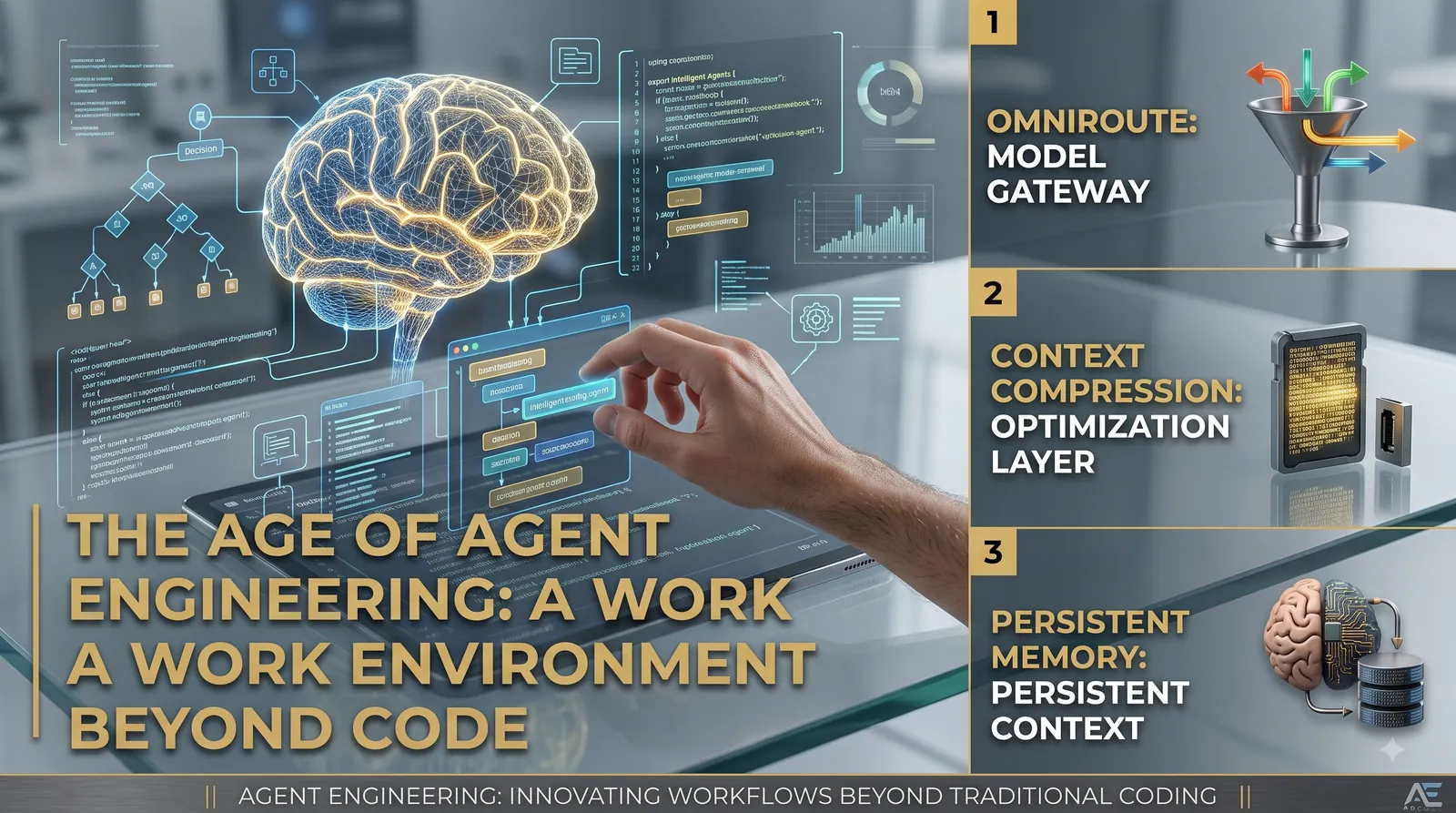
Using AI for software development is no longer just about prompt craftsmanship. True speed and reliability come from designing a robust runtime environment around your coding agent.
To scale Claude Code for complex codebases, move past basic prompting and build an AI Development Environment. Combine proxy gateways like OmniRoute for model resiliency, Headroom for context compression, Claude-Mem for persistent session memory, and Claude Code Setup to control plugin sprawl while enforcing least-privilege security.
- AI coding agents execute shell commands, run tests, manage Git operations, and connect to external services via Model Context Protocol (MCP).
- Context compression reduces token volume, but aggressive pruning risks removing critical safety constraints and dropping task success rates.
- Anthropic's native Auto Memory logs project build patterns to CLAUDE.md, but persistent memory layers still require explicit boundaries to prevent prompt injection.
- Adding third-party proxies, tools, and MCP servers expands an agent's attack surface, making strict least-privilege configurations essential.
On this page
The Shift from Prompting to Agent Engineering
In the early days of AI-assisted coding, writing a clear prompt was enough to gain a performance edge. Modern autonomous coding agents function on an entirely different level. Tools like Claude Code do not simply return code snippets; they inspect file trees, execute terminal commands, run test suites, handle Git operations, and orchestrate external workflows using the Model Context Protocol (MCP).
As a result, the core engineering challenge has shifted from choosing a raw model to building a structured runtime environment around the agent. Two developers using the exact same underlying model will see wildly different results depending on how they manage session persistence, context compression, tool selection, and model routing.
ROUTING & RESILIENCY
Model Access & Fallbacks
Prevents workflow disruptions from rate limits, quotas, or single-provider outages by routing calls through an abstraction gateway.
CONTEXT MANAGEMENT
Token Bloat Optimization
Compresses massive terminal and build tool outputs before they saturate the main context window.
PERSISTENT MEMORY
Cross-Session State
Retains architectural decisions and debugging history when session boundaries reset.
CAPABILITY CONTROL
Plugin Sprawl Prevention
Analyzes codebases to enable only necessary MCP servers, hooks, and tools under a strict security perimeter.
Key Tools in the AI Development Environment Ecosystem
Supercharging an agentic workflow requires adding modular layers to address specific runtime limitations. Five tools lead this ecosystem across model access, context compression, session persistence, capabilities discovery, and automated skill generation.
1. OmniRoute: Multi-Provider Model Routing
OmniRoute serves as an open-source AI gateway and multi-provider LLM router. Placing OmniRoute between Claude Code and model providers creates a provider-agnostic abstraction layer.
This proxy decouples the local environment from single-vendor downtime or rate limits. However, routing strategies must account for model quality alongside token cost; varying levels of tool-calling ability, instruction compliance, and reasoning depth mean automatic fallback rules must evaluate model suitability for complex coding tasks.
2. Claude-Mem: Cross-Session State Persistence
Claude-Mem captures semantic observations from tool usage, indexes them into a local vector database, and passes relevant context into future sessions. This maintains continuous knowledge across environment resets.
3. Headroom: Output Optimization and Context Compression
Verbose shell logs and large JSON payloads can rapidly drain the primary context window. Headroom sits as an optimization proxy that intercepts and compresses incoming data streams before they reach the language model.
4. Claude Code Setup & Task Observer
Uncontrolled addition of plugins, hooks, and MCP servers causes management overhead and bloats the workspace. Claude Code Setup scans the target codebase to recommend only the MCP configurations and tools essential for the active stack.
For workflow automation, Task Observer monitors repeating command patterns and terminal fixes to draft custom skill definitions. To mitigate security risks, these proposed skills must remain subject to developer review and manual approval before being added to production environments.
Step-by-Step Implementation Strategy
Setting up a balanced environment follows a structured pipeline:
Analyze and Configure: Run automated setup tools to inspect the repo, producing an initial
.mcp.jsonmanifest and baselineCLAUDE.md.Establish Memory: Verify native Auto Memory logging, supplementing with specialized indexing layers only if complex cross-session states require it.
Configure Gateway: Route model traffic through a gateway proxy to ensure resilient fallbacks and balance costs.
Attach Compression: Point noisy tool output streams through compression proxies for build and test pipelines.
Refine Skills: Identify repetitive command sequences and convert them into human-approved skill definitions.
Tool Selection and Operational Trade-Offs
AI Development Environment Tool Selection Matrix
| Objective | Primary Tool | Fallback / Native Option | Key Engineering Risk |
|---|---|---|---|
| Project Capability Discovery | Claude Code Setup | Manual MCP Configuration | Over-permissioning unvetted plugins |
| Session Memory Preservation | Claude Auto Memory | Claude-Mem | Confusing memory logs with the true codebase state |
| Context & Cost Reduction | Headroom Proxy | OmniRoute Compression | Pruning critical directives and lowering task success |
| Model Resiliency & Routing | OmniRoute Gateway | Direct API Connections | Routing to models with insufficient tool-calling capabilities |
| Workflow Skill Generation | Task Observer | Custom Hand-written Skills | Unvetted skill modifications introducing insecure actions |
Maintaining the Least-Privilege Perimeter
Expanding an agent's execution environment increases its overall attack surface. Every proxy, custom memory channel, and MCP integration creates a potential vector for indirect prompt injection or unauthorized code modification.
Memory Poisoning: Untrusted data injected into persistent memory can alter agent behavior across future sessions. Keep raw context logs segregated from structural source files.
Supply Chain Verification: Audit third-party MCP endpoints, proxies, and plugin packages before adding them to internal environments.
Least Privilege Enforcement: Restrict shell access, local network privileges, and file-write scopes strictly to what the active task requires.
The Maturity of AI Engineering
As AI-assisted software development matures, success depends less on finding magical prompt formulations and more on system design. Software engineering value is migrating toward designing structured runtimes: setting appropriate context limits, configuring reliable fallback proxies, ensuring clean memory retention, and maintaining strict security controls around autonomous agents.
References
- Claude Code Documentation Official guide detailing native memory mechanisms and project settings.
- Claude Code Feature Overview Documentation outlining plugin systems, custom skills, and MCP integrations.
- Context Compression Research arXiv:2607.12161 - Token Reduction Is Not Cost Reduction: Evaluating Context Compression in Coding Agents.
- Agent Skills Research arXiv:2607.25032 - Authoring Agent Skills: A Software-Engineering Approach.
Frequently asked questions
What is the primary bottleneck when using Claude Code on large codebases?
The primary bottleneck is context window bloat and memory loss between sessions, rather than model intelligence. Shell outputs and third-party tools rapidly exhaust context, while session resets discard essential architectural choices.
Does context compression lower overall development costs for coding agents?
Not always. While compression reduces token count per request, over-compression can degrade model reasoning, leading to retry loops and lower overall task success rates.
What is the difference between Claude Auto Memory and third-party memory systems like Claude-Mem?
Claude Auto Memory is a native feature that saves build and debugging insights locally (such as in CLAUDE.md). Claude-Mem is an external tool that semantically indexes tool outputs across sessions, though both must be audited to maintain a true single source of truth.
No comments yet. Be the first.